Your download is almost ready
Download starts in 5 s.
If the download does not start, use the button below.
Download now
Original file: korean-wallpaper-mountain-082.jpg
Back to the photo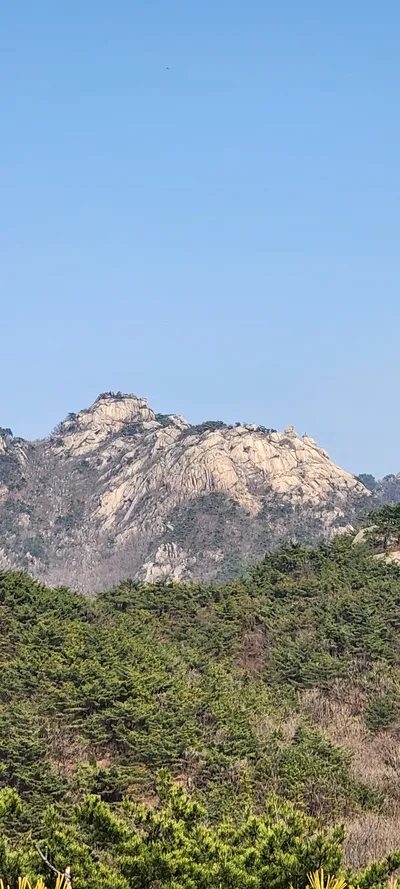
About this photo
Photographed at Samobawi, Pyeongchang-dong, Seoul in April 2024
Bukhansan's granite massif rises in sharp relief against a perfectly clear April sky, seen from the Samobawi trail in Pyeongchang-dong, northern Seoul. The main peak's bare rock face catches direct afternoon sunlight, its cracks and folds casting defined shadows that reveal the mountain's geological character. Below the summit, a dense mixed forest of Korean pines and still-bare deciduous trees covers the slopes in a patchwork of dark evergreen and brownish-gray. Fresh spring growth is just beginning to push through at lower elevations, with bright yellow-green pine shoots visible in the foreground. Bukhansan National Park, remarkably located entirely within the Seoul metropolitan area, is the most visited national park per square meter in the world, and Samobawi is one of its most beloved viewpoints. The portrait orientation emphasizes the mountain's vertical drama, making it feel even more imposing against the clear spring sky.
Setting it as your wallpaper
On a phone, open the saved photo in your gallery or Photos app and choose the wallpaper option from the share or more menu.
On a computer, open the desktop background settings and pick the downloaded file.
Personal use
The photo is free to use as a wallpaper on your own devices. Selling, redistributing or using it in commercial work is not allowed. Terms of use