Your download is almost ready
Download starts in 5 s.
If the download does not start, use the button below.
Download now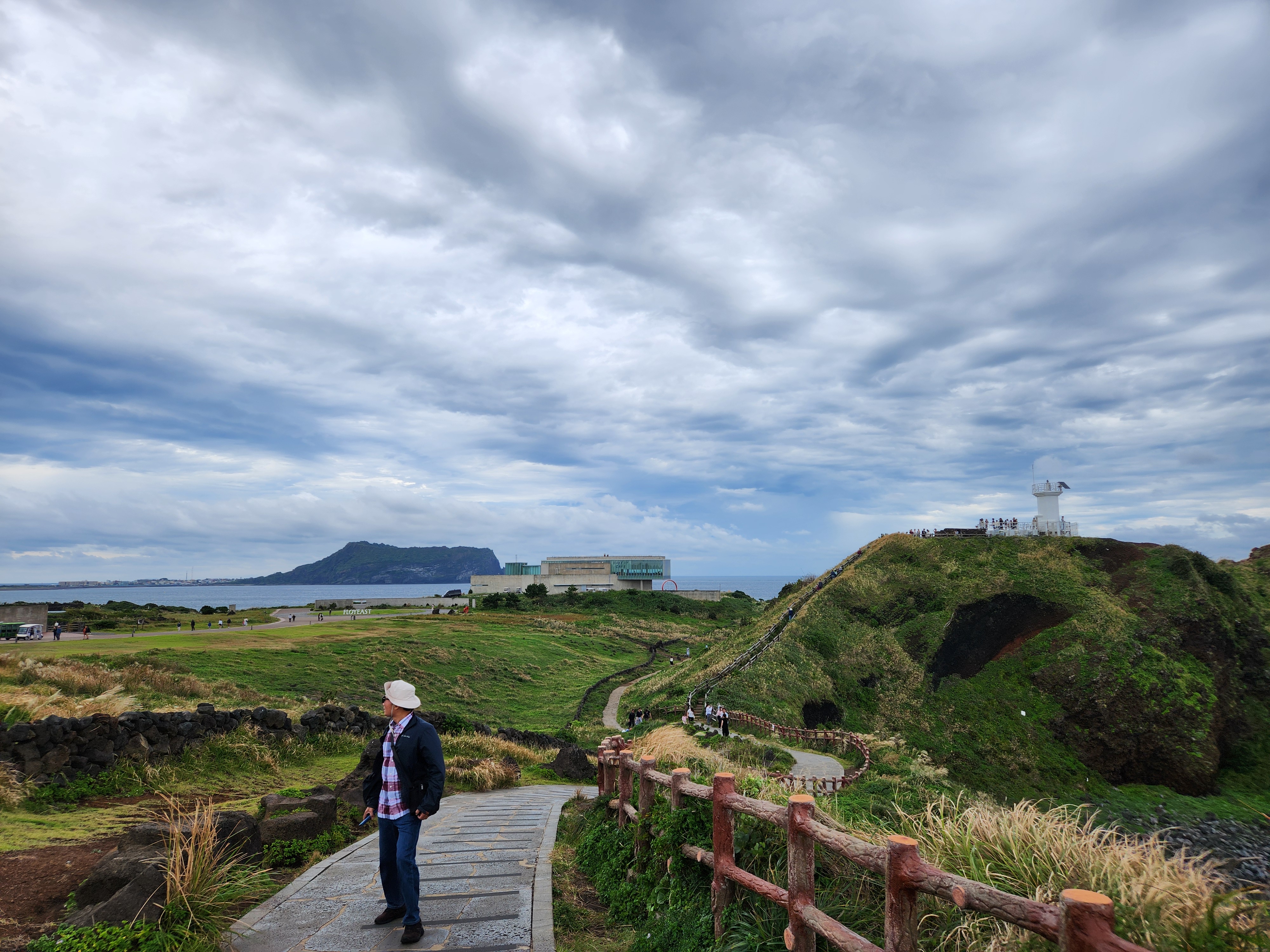
Original file: korean-desktop-wallpaper-sea-757.jpg
Back to the photo
About this photo
Photographed at Goseong-ri, Seogwipo-si in October 2025
The sweeping landscape of a volcanic oreum cone unfolds at Goseong-ri in Seogwipo, where a walking path leads visitors through the grass-covered terrain of one of Jeju Island's many parasitic volcanic hills. A visitor in a hat and dark jacket stands on the stone pathway, gazing out toward the dramatic vista ahead. In the distance, the distinctive flat-topped silhouette of Seongsan Ilchulbong, Jeju's famous sunrise peak, rises from the coastline against a sky filled with swirling gray clouds. A white lighthouse and modern building sit atop the grassy ridge to the right, while winding trails and wooden fences guide visitors through the undulating green landscape. The hillside is covered with a mix of green and golden-brown grasses, giving the scene an autumn atmosphere. Dark volcanic stone walls, characteristic of Jeju's traditional field boundaries, trace lines across the terrain. This panoramic viewpoint perfectly captures the distinctive volcanic geography that earned Jeju its UNESCO World Heritage designation.
Setting it as your wallpaper
On a phone, open the saved photo in your gallery or Photos app and choose the wallpaper option from the share or more menu.
On a computer, open the desktop background settings and pick the downloaded file.
Personal use
The photo is free to use as a wallpaper on your own devices. Selling, redistributing or using it in commercial work is not allowed. Terms of use