Your download is almost ready
Download starts in 5 s.
If the download does not start, use the button below.
Download now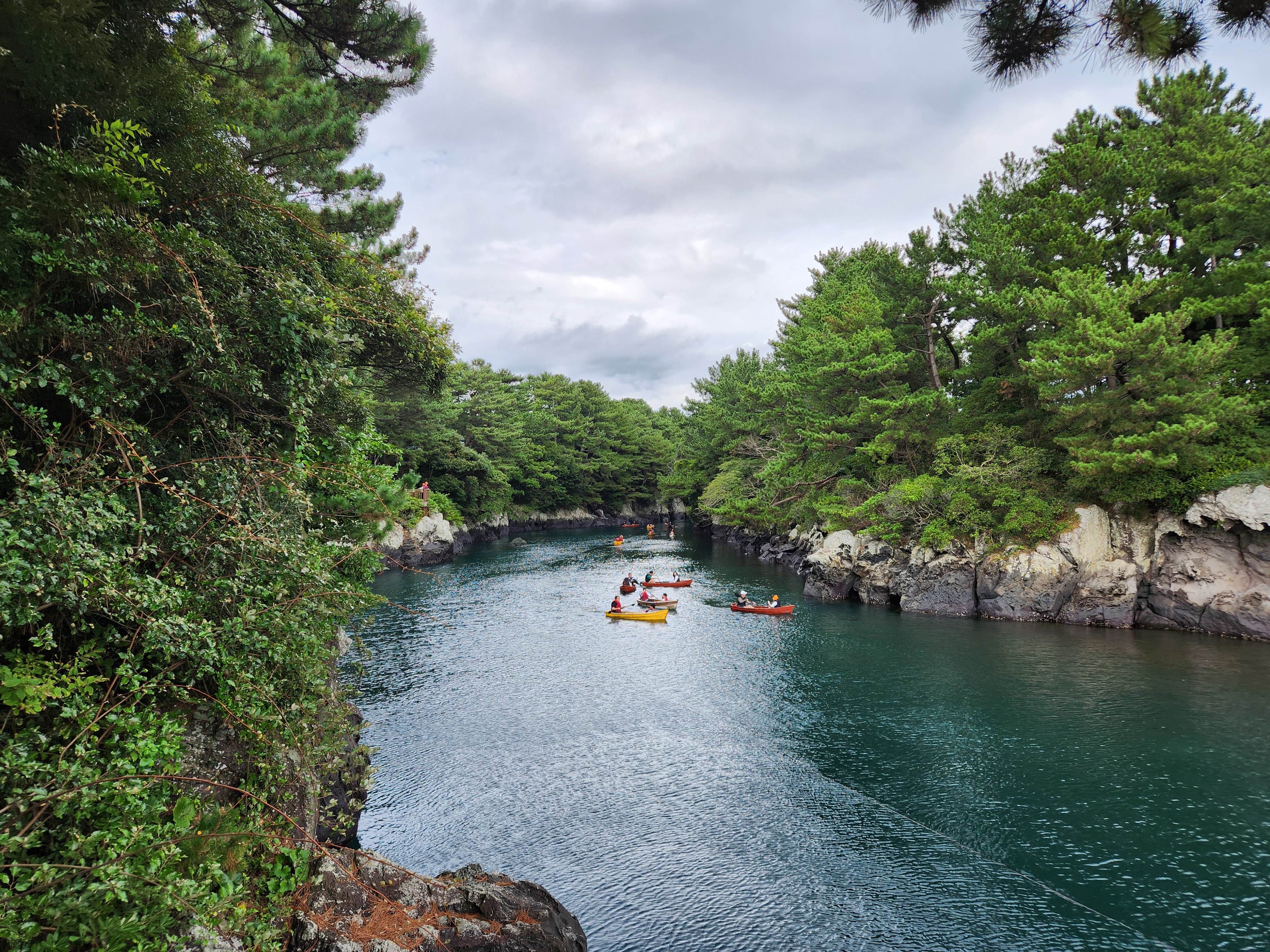
Original file: korean-desktop-wallpaper-sea-746.jpg
Back to the photo
About this photo
Photographed at Harye-ro, Seogwipo-si in October 2025
Crystal-clear turquoise water fills a narrow inlet flanked by lush pine trees and volcanic rock formations at Soesokkak in Seogwipo, Jeju Island. Several colorful kayaks carrying visitors glide along the tranquil waterway, their bright yellow and orange hulls standing out vividly against the deep emerald and teal tones of the water below. Tall pine trees with characteristically twisted trunks lean over the inlet from both sides, their dense green canopies creating a natural tunnel effect that frames the view toward the open ocean in the distance. The dark volcanic rock walls on either side bear the textured marks of erosion and weathering, adding geological interest to the scene. An overcast sky with patches of blue creates soft, even lighting that enhances the vivid color of the water. Soesokkak is one of Jeju's most beloved natural attractions, where freshwater from an underground river meets the ocean in this sheltered volcanic cove, creating the distinctive blue-green water color visible here.
Setting it as your wallpaper
On a phone, open the saved photo in your gallery or Photos app and choose the wallpaper option from the share or more menu.
On a computer, open the desktop background settings and pick the downloaded file.
Personal use
The photo is free to use as a wallpaper on your own devices. Selling, redistributing or using it in commercial work is not allowed. Terms of use