Your download is almost ready
Download starts in 5 s.
If the download does not start, use the button below.
Download now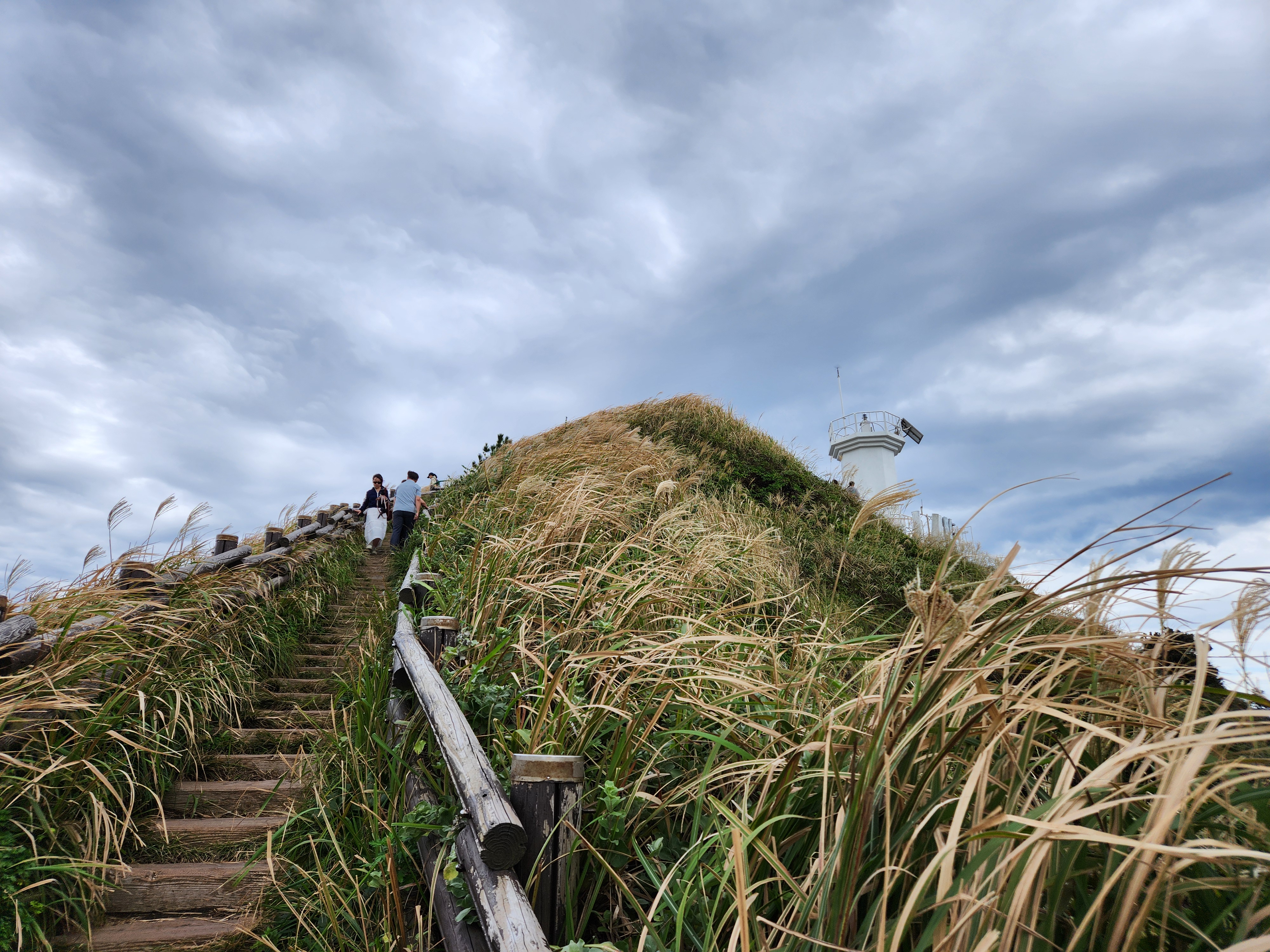
Original file: korean-desktop-wallpaper-nature-758.jpg
Back to the photo
About this photo
Photographed at Goseong-ri, Seogwipo-si in October 2025
Stone steps lead steeply upward toward a white lighthouse perched atop a grassy volcanic hill at Goseong-ri, Seogwipo, on Jeju Island. Visitors climb the weathered wooden and stone stairway that cuts through tall golden and green grasses swaying in the ocean breeze. The lighthouse, a compact white structure with a modern design, sits at the summit against a sky filled with dramatic gray and white clouds that seem almost close enough to touch. Silver-tipped pampas grass plumes and wild grasses fill the foreground, their feathery heads catching the wind and adding textural richness to the scene. The low-angle perspective emphasizes the steepness of the climb and the height of the hilltop, creating a sense of aspiration and journey. The combination of the windswept grasses, the cloud-filled sky, and the solitary lighthouse creates an atmosphere that is both rugged and romantic, capturing the wild beauty of Jeju's coastal volcanic landscape.
Setting it as your wallpaper
On a phone, open the saved photo in your gallery or Photos app and choose the wallpaper option from the share or more menu.
On a computer, open the desktop background settings and pick the downloaded file.
Personal use
The photo is free to use as a wallpaper on your own devices. Selling, redistributing or using it in commercial work is not allowed. Terms of use