Your download is almost ready
Download starts in 5 s.
If the download does not start, use the button below.
Download now
Original file: korean-wallpaper-sea-1129.jpg
Back to the photo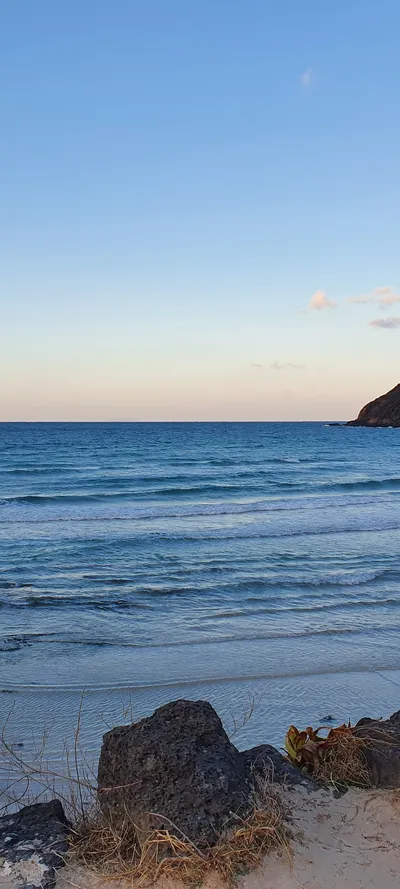
About this photo
Photographed at Jeju Island in February 2022
A winter sunset settles over a sheltered beach on Jeju Island, where dark volcanic basalt rocks and dried coastal vegetation frame a view of calm turquoise waters rolling toward pale sand. The sky transitions from deep blue overhead through a band of soft pink to a pale golden glow near the horizon, the clean gradient characteristic of Jeju's clear winter evenings when ocean moisture is minimal. A dark volcanic headland rises at the right edge of the frame, its rugged profile confirming the geological character of Korea's southernmost island. The waves arrive in gentle, evenly spaced sets, their white crests barely breaking as they wash onto the beach in thin sheets of foam. The foreground rocks are unmistakably Jeju basalt - porous, dark, and angular - the solidified remains of the volcanic eruptions that built the island over millions of years. Despite the February date, the water retains a distinctly tropical clarity, a reminder that the Kuroshio Current brings warm southern waters along Jeju's coast year-round.
Setting it as your wallpaper
On a phone, open the saved photo in your gallery or Photos app and choose the wallpaper option from the share or more menu.
On a computer, open the desktop background settings and pick the downloaded file.
Personal use
The photo is free to use as a wallpaper on your own devices. Selling, redistributing or using it in commercial work is not allowed. Terms of use