Your download is almost ready
Download starts in 5 s.
If the download does not start, use the button below.
Download now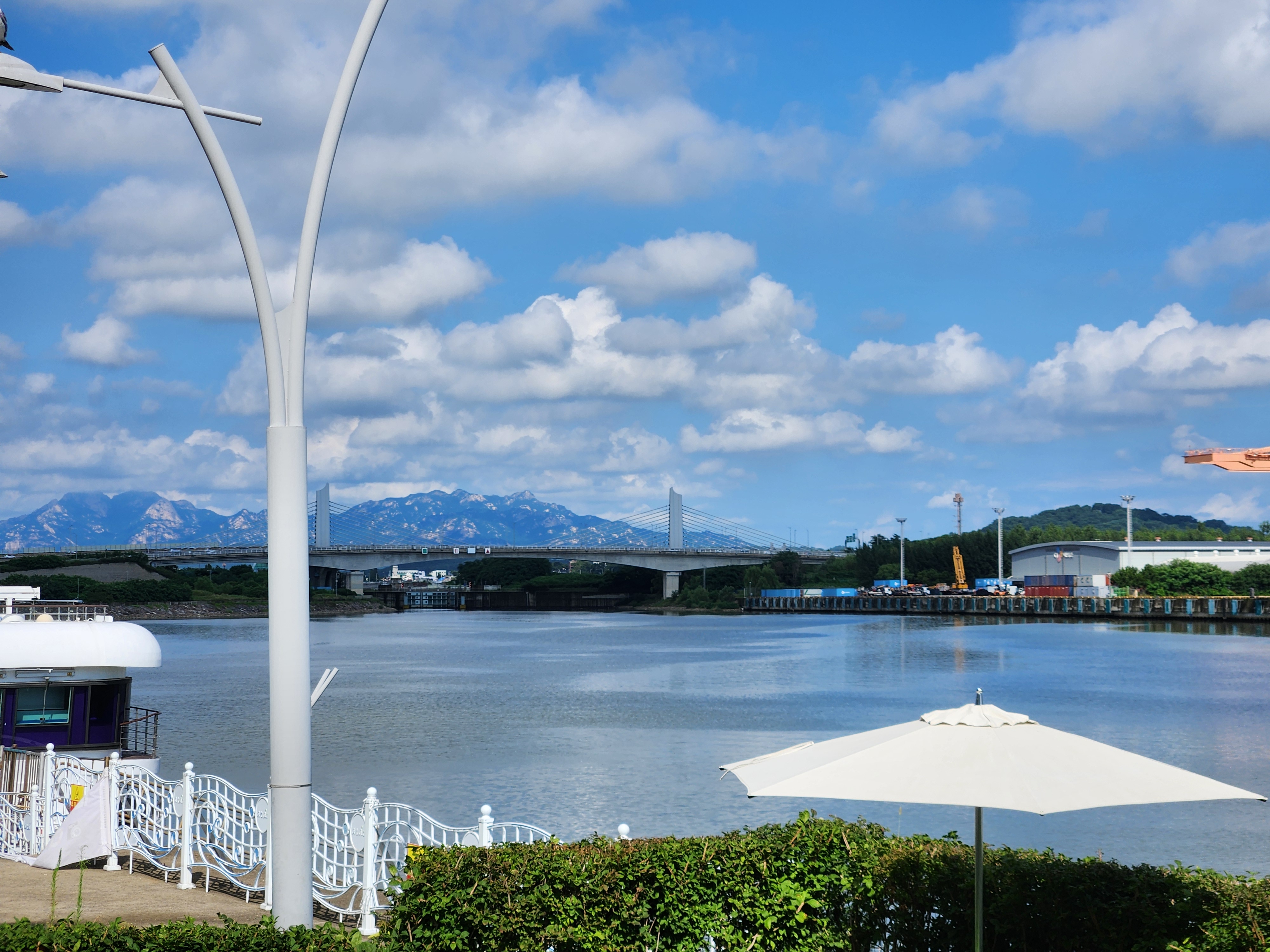
Original file: korean-desktop-wallpaper-street-672.jpg
Back to the photo
About this photo
Photographed at Arayuk-ro 230beon-gil, Gimpo-si in August 2025
A wide river view from Gimpo-si's Arayuk-ro shows the Ara Waterway stretching toward a modern cable-stayed bridge under a sky filled with towering cumulus clouds. The calm blue water reflects both the white clouds and the surrounding landscape, forming a mirror-like surface that doubles the depth of the scene. A sleek white cruise boat or ferry is moored at a dock on the left, its clean lines echoing the modern white Y-shaped street lamp in the foreground. On the far right, a waterfront area with industrial cranes, shipping containers, and port facilities adds a working-harbor element to the otherwise recreational scene. Beyond the bridge, a mountain range rises with jagged rocky peaks, their gray summits contrasting with the lush green lower slopes. The summer afternoon light is bright and clear, giving the scene a crisp luminosity. Recreational boating, modern infrastructure, and mountain scenery meet along the inland waterway of Gimpo.
Setting it as your wallpaper
On a phone, open the saved photo in your gallery or Photos app and choose the wallpaper option from the share or more menu.
On a computer, open the desktop background settings and pick the downloaded file.
Personal use
The photo is free to use as a wallpaper on your own devices. Selling, redistributing or using it in commercial work is not allowed. Terms of use