Your download is almost ready
Download starts in 5 s.
If the download does not start, use the button below.
Download now
Original file: korean-wallpaper-snow-162.jpg
Back to the photo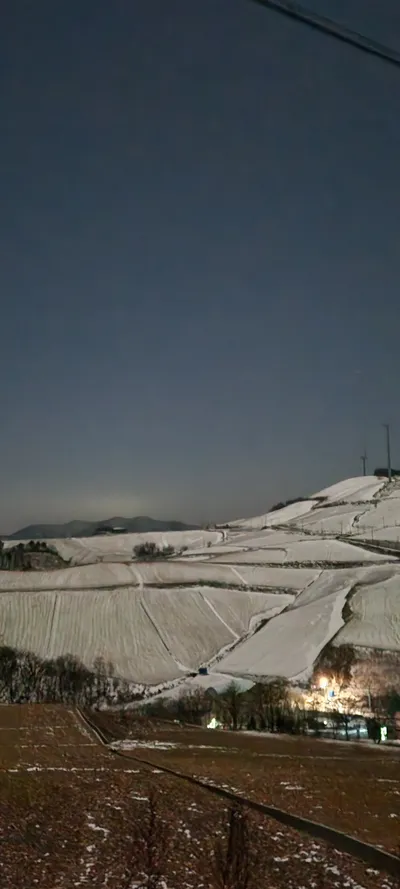
About this photo
Photographed at Gangneung-si in December 2024
Late on a December night in Wangsan-myeon, Gangneung-si, the highland cabbage and radish fields of Anbandegi plateau lie under a blanket of fresh snow, their terraced contours traced by dark furrow lines that create a graphic pattern against the white. The scene is shot at night, but the snow's reflectivity turns the landscape surprisingly luminous under the deep blue-black sky. Power lines cut a thin diagonal across the upper frame, and a single distant light from a farmhouse glows warmly at the base of the snow-covered hillside. The famous Anbandegi plateau sits at roughly 1,100 meters elevation, making it one of Korea's highest inhabited farming areas and a destination for both summer cabbage fields and winter snow photography. Patches of remaining snow melt reveal the dark volcanic soil beneath, and bare winter trees line the ridge in skeletal rows. The composition splits cleanly between the dark sky occupying the upper half and the luminous snow-covered terrain below, creating a natural two-tone wallpaper that works beautifully with a phone's clock display sitting in the dark upper zone.
Setting it as your wallpaper
On a phone, open the saved photo in your gallery or Photos app and choose the wallpaper option from the share or more menu.
On a computer, open the desktop background settings and pick the downloaded file.
Personal use
The photo is free to use as a wallpaper on your own devices. Selling, redistributing or using it in commercial work is not allowed. Terms of use